
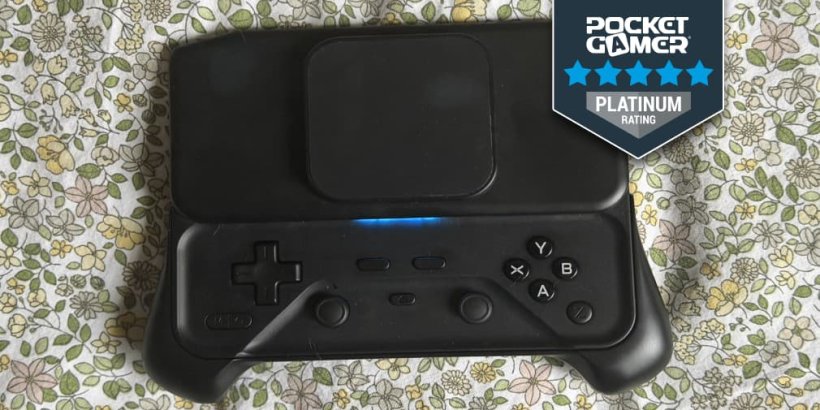
Mobile gaming has come a long way, but there's one thing I still can't get used to: touchscreen controls in MMORPGs and the like. Sure, they're fine for casual games, but when you're trying to play something that requires a bit more precision, things can get frustrating (quickly).
That's where mobile controllers come in, and I've been particularly curious about the abxylute M6. Unlike your typical mobile controller, this one takes a slightly different approach with a magnetic, slide-out design that gives off some serious old-school gaming vibes.
But there's more to it than just the interesting design - it has capacitive joysticks, linear triggers, vibration feedback, and a few other neat features packed into a relatively compact body.
So, is it actually a practical addition to your mobile gaming setup, or just another cool-looking accessory? Let's take a closer look.
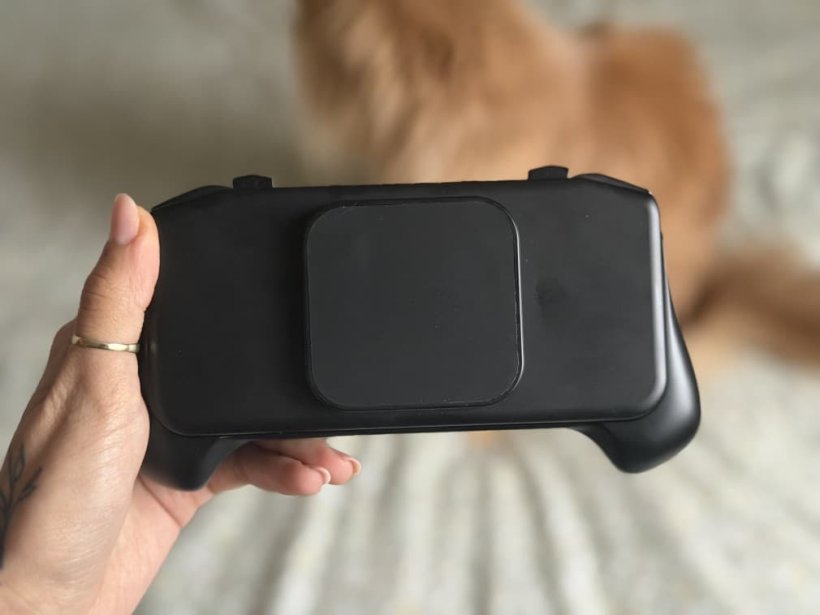
Let's start with the obvious: magnetic grip and neat design!
(Don't worry if your phone doesn't have one - abxylute includes a magnetic ring in the package!)
I have to state the obvious, but the magnetic phone grip is a feature every controller needs, and abxylute M6 highlighted that flawlessly. Personally, I didn't even consider it a possibility until I tried it on the M6.
The magnetic movable island made it so much easier to play on both of my phones (I have an Android and an iOS), because it could be adjusted to the phone. That's right - you don't have to worry about a big, bulky camera being in the way, or the phone having the magnetic strip a little bit too low. This is one of the small, underrated features that make the abxylute M6 Mobile controller such a versatile piece of hardware for any mobile gamer.
Of course, the design is fairly simple at first glance, but that's because the buttons can be tucked away when you want a sleeker look. Oh, and for those of you who like the ASMR sound of keys being pressed, it delivers.
There is one more thing I have to mention regarding the magnetic grip, and that is how sturdy it is. When you have an expensive gaming phone, you really need to be careful not to drop it, because you know things will never be the same afterwards. This controller can hold your phone in place without you worrying that it's going to fall if you move too fast or do any sort of sudden moves. I even tested it by giving it to my niece to play her Roblox game (maybe a slightly irresponsible move on my end), but that was the ultimate test in my book. The verdict? My phone is intact, the controller works, and my niece is happier to visit because she can use it to play.
That takes me to my next point, which is how easy it is to use and sync.
No extra drivers and no headaches syncing
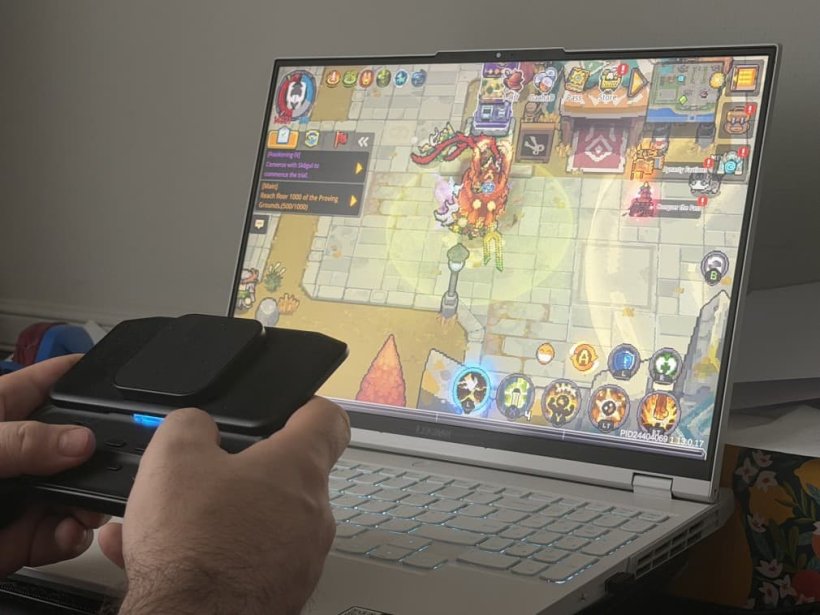
The abxylute M6 Controller is so easy to use that even a 9-year-old can understand. Pairing it/Syncing it with your device is as easy as turning on the Bluetooth and pressing the Pair button on the controller. You don't need any additional drivers or anything like that.It's simple, and honestly, that's the best. You know that by keeping something simple, more people can enjoy it, and that speaks volumes for its accessibility.
Personally, I tried it on every phone and tablet I had, and it connected with each one in a matter of seconds, regardless of operating system.
The performance is a hit
Due to the nature of my job, I get to play a lot of games - different devices, genres, and controls. And when I say a lot, I mean A LOT. Despite that, I was never the best tech genius out there. What stood out to me was how easy it was to just put my phone on the magnetic grip and start playing.The abxylute M6 Controller paired really well with everything I played, and the small adjustments to the controls made it easy to navigate the menus with just one press of a button.
For players who want to really customise their experience, the customisable keys and triggers are a complete game-changer. You can even turn on the Turbo mode and go ham.
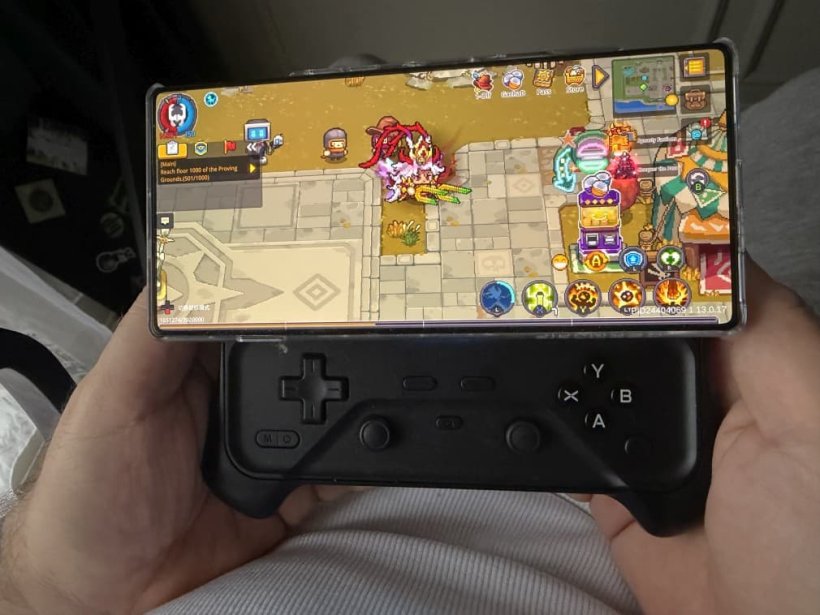
The verdict? I think I am a controller person now
I had the chance to test the prototype, and it was extremely sturdy. I didn't have to worry about it falling apart in my hands (or slipping from my hands, for that matter), and that gave me a lot of confidence in taking it with me wherever I go - on the plane or on the bus.After trying it in virtually everything I play (mainly MMORPGs, roguelikes, and MOBAs), I came to the conclusion that it makes the games a lot more enjoyable. When you don't have to worry about the on-screen controls, you feel like you have a much better grip.
All I had to do was bind the controls the way I like, and that was it. It's easily one of the best additions to my mobile gaming setup.
abxylute M6 Mobile Controller review - "One controller for everything"
The abxylute M6 Mobile Controller is super easy to use and quite literally the best controller I've ever gotten to play on. It's light, compact, and delivers peak performance in every single mobile game I've played.


Cristina Mesesan
Cristina is a lifelong gamer who also loves digital art, she's worked as an animator and tried some game level designing in Unity. Her biggest passion is pixel games (Stardew, To the Moon), and she adores writing and sharing her knowledge about games.