


- Swappable D-pads
- Responsive controls
- Long battery life
GameSir is unleashing its latest innovation in gaming controllers. Compatible with Android, PCs, Xbox Series X/S, and Xbox One, the G7 Pro comes with a charging dock and charging cord. Upon sliding off the slipcase and removing the lid from its white cardboard container, you'll see the G7 Pro, along with its charging dock, wrapped in thin plastic for extra protection.
Unboxing the GameSir G7 Pro
Available in sleek Mech White and Shadow Ember, the G7 Pro features the standard Xbox controller face layout. A home button featuring the Xbox ‘X’ is centred between the view and menu buttons, with the share button just beneath it. Rather than a traditional D-pad, GameSir’s newest Xbox controller features a circular one. However, this can be swapped with the two extra d-pads that come with the device.The top of the device features the typical LB/RB and LT/RT triggers as well as an extra pair of mini triggers. Centred between the triggers is a USB port for wired connections. You can even slide the plastic piece around the port forward to protect the port from debris when you’re not using it. On the bottom, between the grips, you'll find a headphone jack with a pairing button to the left and a mute button to the right.
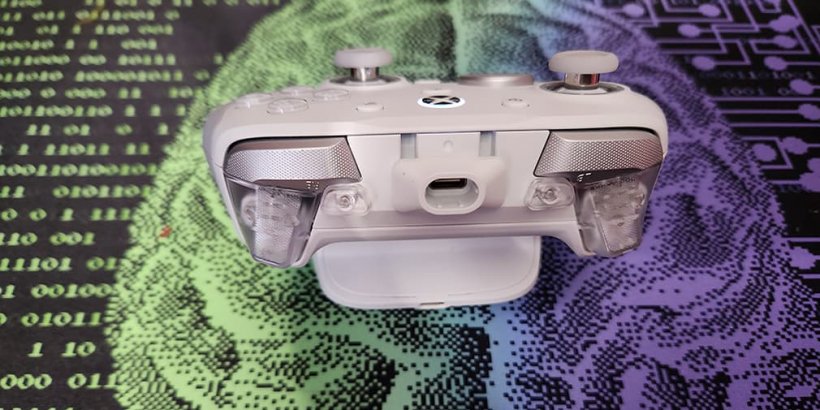
The dock is simple and sleek, with a USB port on the back and a compartment for the USB 2.4G receiver on the bottom. Finally, the back of the device features several toggle switches, including one for switching between a Bluetooth and 2.4 G connection, as well as an extra set of triggers that your fingers will naturally rest on when holding the controller.
The GameSir G7 Pro Comes with Swappable D-Pads
Beneath the controller, you'll find a 2.4 GHz USB port, while hidden beneath the dock are two alternative D-pads, which can be switched out with the pre-installed one. Remove the cardboard insert to uncover the charging cord, instruction manual, and your code for one free month of Xbox Game Pass.To pair the controller with your Android device, flip the toggle on the back to Bluetooth and press the Xbox button. If the G7 Pro doesn’t show up as an available device at this point, hold the pairing button on the bottom for a second or two. You can connect to your PC via a wired connection or by plugging in the USB receiver and switching to 2.4G mode. However, when using the controller with your Xbox, you’ll need to stick to a wired connection.
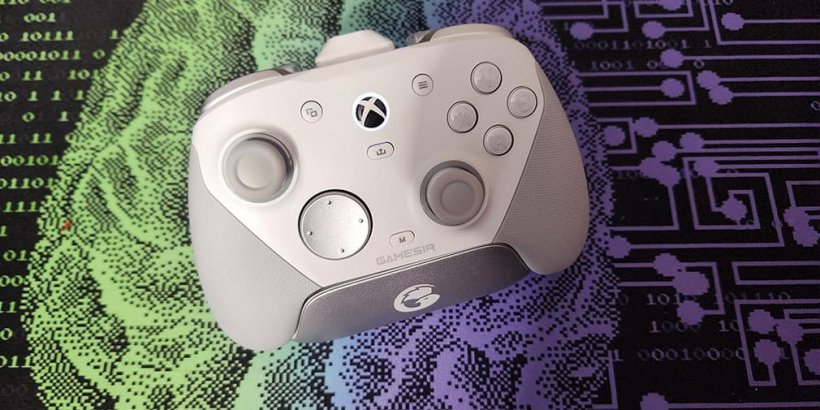
GameSir’s newest gaming controller fits perfectly in your hands - your thumbs naturally resting in the joysticks while your index fingers straddle the triggers. Despite being on the smaller side, I found the joysticks to be rather comfortable to use. Their textured rubber rims prevent slippage, so you don't need to worry about accidental movements.
The GameSir G7 Pro Provides an Excellent Gaming Experience
Whether manoeuvring through the metaverse in Persona 5: The Phantom X or battling zombies in Dead Effect 2, the joysticks proved to be responsive and allowed for precise control of your avatar’s movements. The device also provided the responsiveness required for combat-heavy PC titles, like Atom Fall and Lost in Random: The Eternal Die.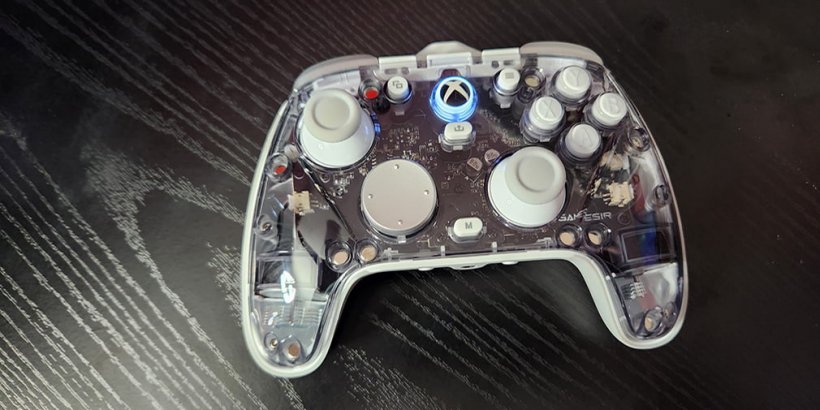
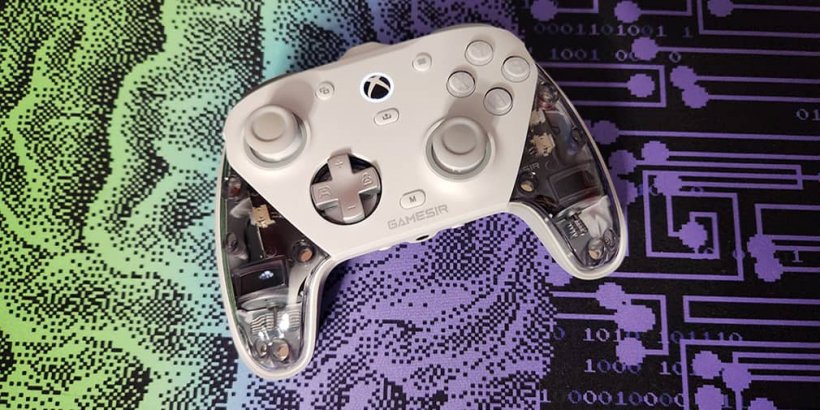
Download the GameSir app to your phone, PC, or Xbox to customise mappable buttons. You can also customise the look of your G7 Pro thanks to the three-piece magnetic detachable faceplate. Just tug at the seams, and the faceplate pieces will come right off.
Removable Faceplates Let You Customise the Look of Your G7 Pro
Thanks to the magnetic design, they're even easier to snap back on. To switch out the d-pad, take off the centre faceplate and lift the current d-pad off the device. Then, snap the new one into place by matching up the holes. Honestly, of all the controls I’ve reviewed with swappable parts, the G7 Pro provides the easiest experience.While not as lightweight as some mobile controllers, the new device is still on the lighter side, which is preferable if you plan on gaming for long periods of time. Further, the 1200mAh battery lets you play for hours without recharging.
The GameSir G7 Pro is a wonderful controller for Android, PC, and Xbox. While the price tag is a little hefty, its ergonomic, lightweight design makes it an excellent choice for serious gamers. Further, the controls proved to be responsive. Even after hours of play, I had no issues with buttons getting stuck, thumbs flying off the joysticks, or stick drift. There are definitely cheaper options available that'll still get the job done, such as the PXN P5. If, however, you prefer a sleek, sophisticated controller that you can use with your Xbox as well as your phone, you’ll definitely want to give the G7 Pro more than a passing glance.
GameSir G7 Pro review - "A responsive customizable controller"
The GameSir G7 Pro is a titan of a controller, offering intense precision and responsiveness. It features swappable d-pads and removable faceplates, allowing you to customize the device to your liking.


Jack Brassell
Jack Brassell is a self-proclaimed nerd with a lifelong passion for storytelling. An aspiring author, Jack writes mostly horror and young adult fantasy. She is currently working to attain an associates degree in game design.