How to download the Epic Games Store on mobile

While the App Store and Google Play are the best-known marketplaces on mobile, the Epic Games Store is trying to make a name for itself. And there are some reasons to download it, such as it being the only place to grab Fall Guys, Rocket League Sideswipe (on Android), The Forest Quartet, and Botany Manor on mobile. The problem is, it's not as straightforward to download as any old app.
Instead, you have to go through a process known as sideloading. Worry not about the terminology or legality. It's just a bit of jargon that means downloading an app directly from a website rather than from Google Play or the App Store. It's all above board. However, there is a bit of nuance to it, so I've created a guide to explain how to download the Epic Games Store on mobile.
Can I download the Epic Games Store on iOS and Android?
You can indeed download it for Android regardless of where you are in the world. For iOS, it's a little more restricted. You might be aware that a few legal battles are going on between Epic and Apple right now. While I won't bore you with lawyer speak, it ultimately means you can only get it on iOS if you're based in the EU or Japan. Everyone else will have to wait for regulation changes.How to download the Epic Games Store on mobile
So, for those of you on Android or in the right location for iOS, let's walk you through how to download the Epic Games Store onto your device. Just follow the steps below, and you can be winning Crowns or matches of vehicular football in no time.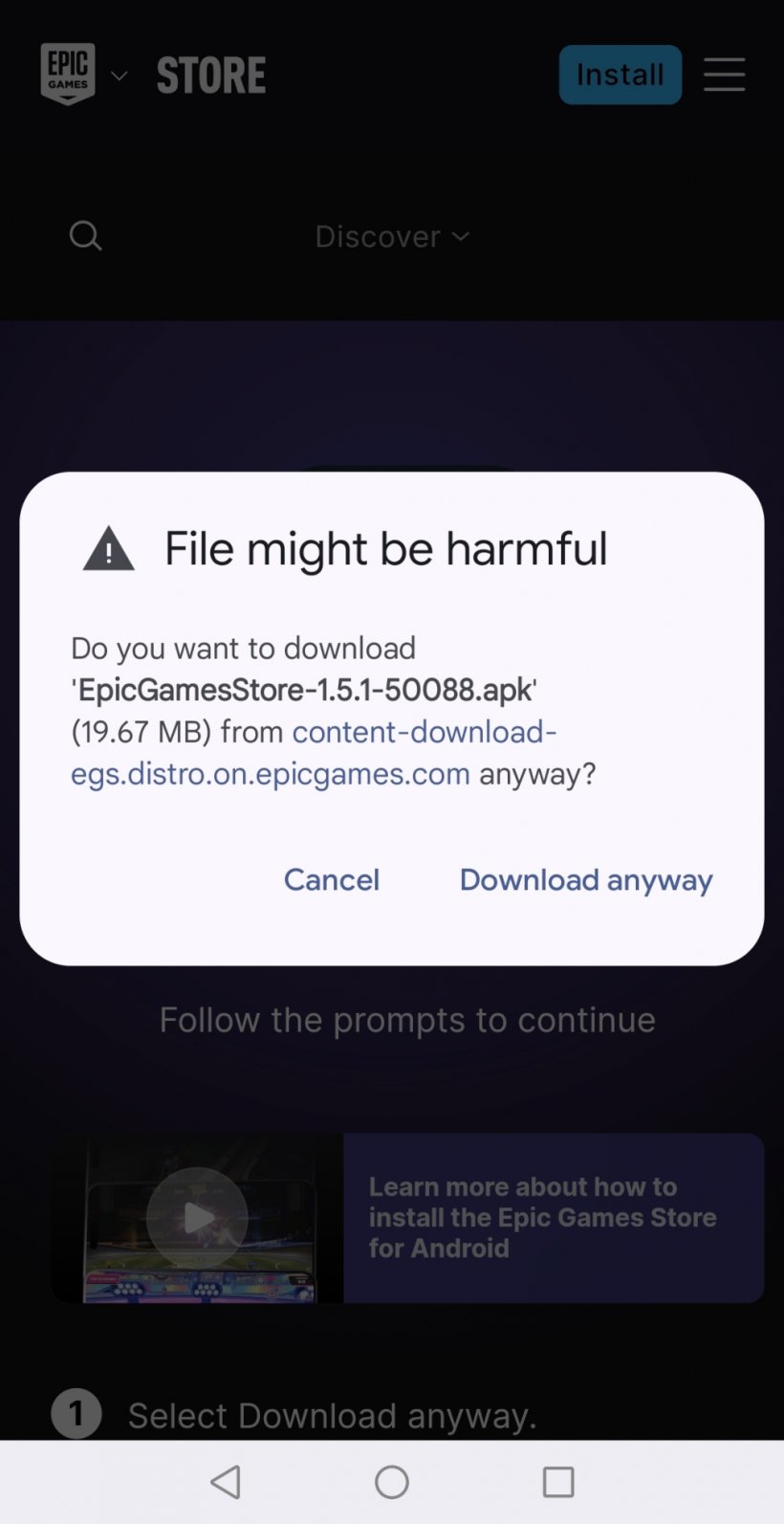
Android
- Head to the Epic Games Store website on your phone's browser and tap the install button in the top right-hand corner.
- Your phone's misplaced desire to protect you will kick in, warning you that the file might be harmful. Tap Download anyway. It's all good.
- Once downloaded, tap Open. Yet another warning will appear. This time, tap Settings, then toggle the button “Allow app installs.”
- If you don't get a pop-up offering to install the Epic Games Store, head back to the download and go from there.
- It'll then install on your phone, allowing you to log into your Epic account.
iOS
- Head to the Epic Games Store website on your iOS device and hit the install button in the top right.
- As you begin installation, your device will inform you that it's not set up to allow a marketplace from Epic.
- To fix this, head into the settings and select “Allow Apps from Epic Games Inc.”
- Then, once it's installed, you can log into your account. Happy days.
And that's how to download the Epic Games Store for mobile. It's not as scary as it might initially seem. Although I appreciate that those warning messages can make the heart skip a few beats. But once you're in, you can enjoy those previously mentioned exclusives - depending on where you're based - or snag the freebie Epic gives away each week!
