

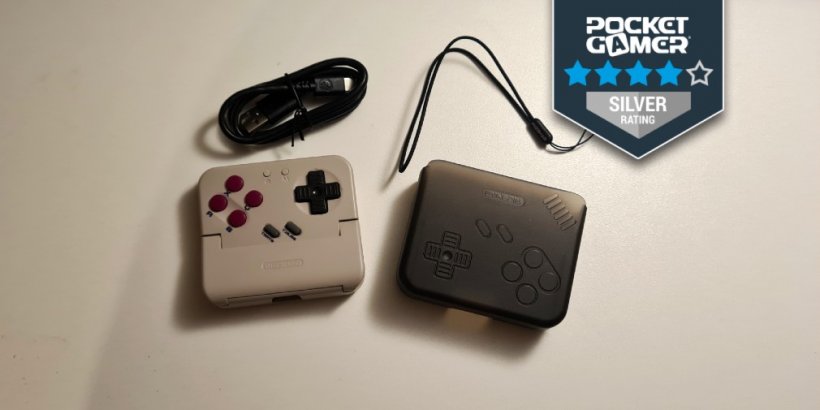
- The GameSir Pocket Taco offers a perfect peripheral for fans of the classics
- But how does it work out for other types of players? Well, it's complicated
- Either way, it offers a compelling device for Game Boy emulation
It can be frustrating when good construction and design meet a bizarre software gimmick, which is exactly what my experience with the GameSir Pocket Taco was. Conceptually, it’s genius - a clasp-on controller that lets you use your phone like a classic Game Boy.
But in practice, it leaves much to be desired on that end, which is doubly frustrating for what is undoubtedly a well-designed, solid Bluetooth gamepad that would be worth the price of admission on its own.
So, where does it shine, and where does it need polish? Well, let’s get started with what you actually get.
What’s in the box?
Out of the packaging, the Pocket Taco is well laid out. Which might seem fussy, but to be honest, good packaging is always a green flag for me. You even get a neat little manual that sits above the controller itself. Not to mention a sticker to show off your love for GameSir, or in a pinch, to express your fondness for chickens.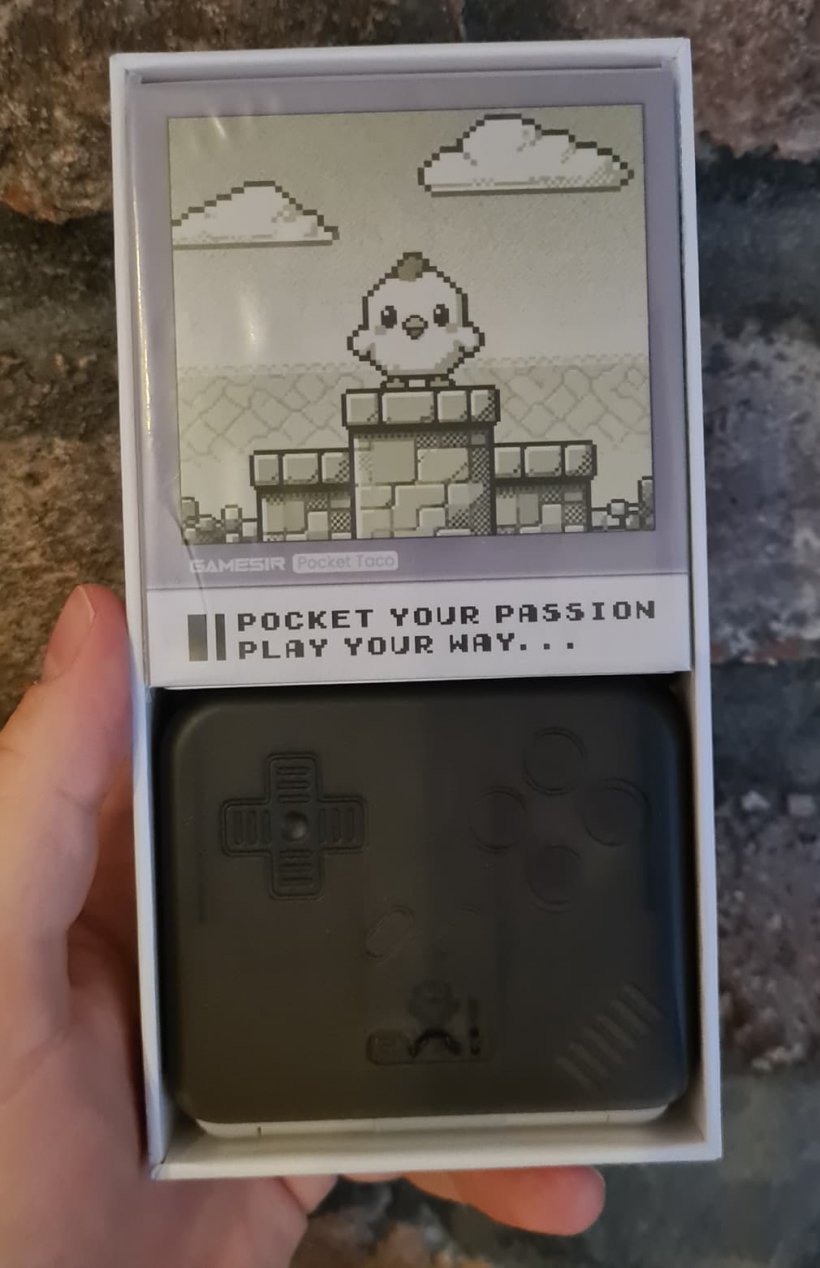
Content-wise, we’ve got a charging cable, the controller, a manual and a wrist strap to attach to the peripheral. All very standard, but all welcome too. About the only thing I could complain about with the packaging is a (very) slight rattle from loose contents. However, that didn’t seem to affect it in transit.
The addition of a wrist strap is an early sign that the Pocket Taco may be trying to add too much for its own good. It seems to mainly be for the case we’ll mention in a moment rather than the controller itself, which begs the question as to why you’d ever need one for it.
Construction & Design
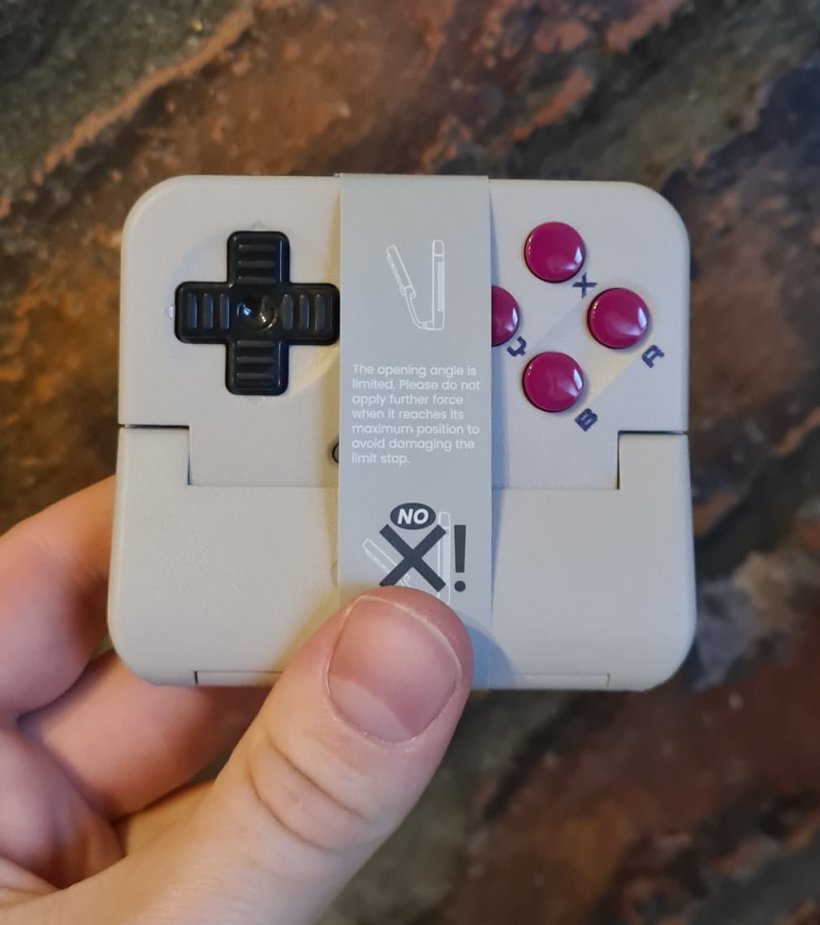
It doesn’t take an expert to see that the Pocket Taco is intentionally evoking the NES and original Game Boy with its design and mixture of grey plastic and monochrome colouration. But at the same time, I think we’re far enough out from that particular era of nostalgia for it to be somewhat novel.However, the Pocket Taco has some intriguing innovations. For one, out of the box, it comes folded in its own grey slipcase. Considering other peripherals, such as the CRKD Atom (which I was quite a fan of), tend to be bashed around a worrying amount when carried loose, this is a surprisingly welcome inclusion.
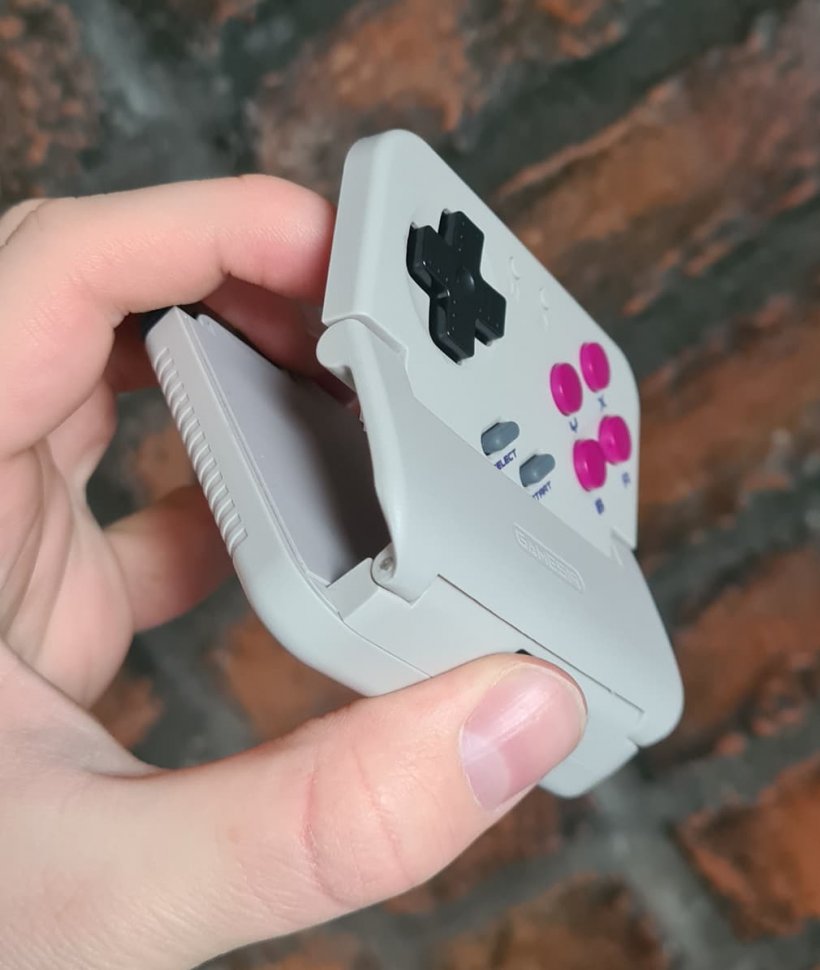
Rather than an adjustable bracket, the Pocket Taco uses an interior spring to clamp onto your phone. It works perfectly well, but I’m a little concerned given that spring can obviously weaken over time. However, it seemed to function without any issue for me.
As a regular controller
The main issue for me was actually using the Pocket Taco. I’m not overly familiar with emulators or other ways of playing classic releases on mobile. But, happily, despite what the box might imply, the Pocket Taco is actually usable as a standalone mobile controller too!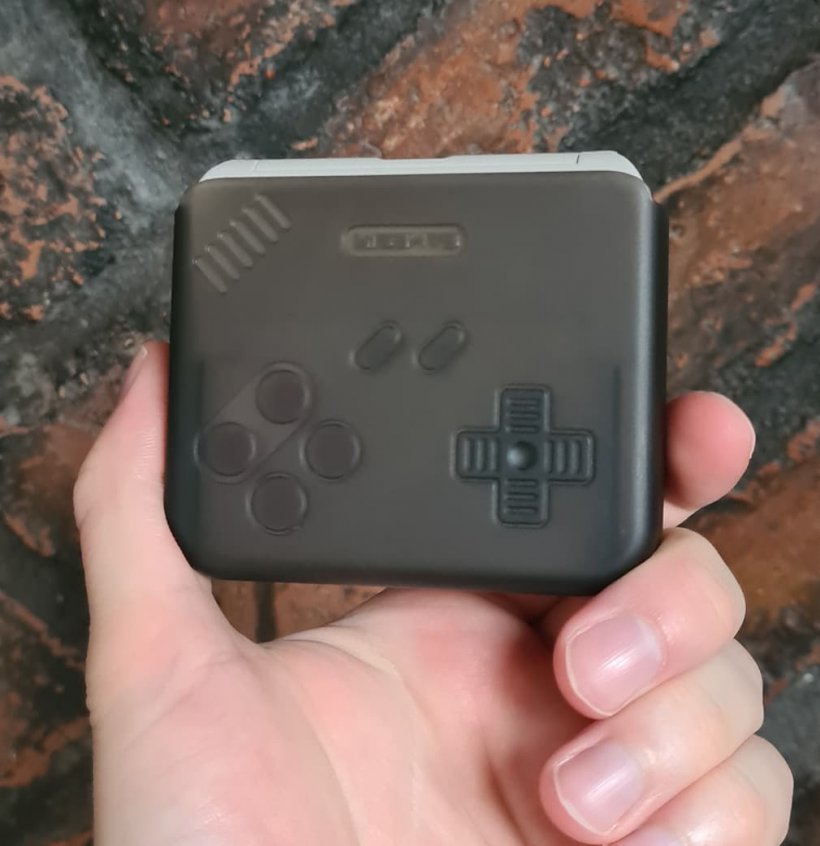
While, in retrospect, it’s to be expected, I think this is still a neat bonus. And while I still have a soft spot for the CRKD Atom in making playing my personal beau Symphony of the Night on mobile much more feasible, I feel that the Pocket Taco will take over future duties. It sits more comfortably in the hand and manages to hit the right point between full-size and pocket filler.
So about that Game Boy aspect…
So, how does it actually measure up for its intended purpose? Well, that’s a difficult question to answer. For one, there’s not much actual info on how you make use of the Pocket Taco given out of the box. Instead, you’ll need to download the GameSir app and add your device there to get started.But the problem I ran into was a pretty blunt one: there’s no way to tell what will actually work for the intended purpose of the Pocket Taco. As in, virtually anything with gamepad support will work, but if you try to make use of it like a Game Boy, many will just revert to their normal landscape appearance.
The GameSir app also doesn't seem to do much to help with flagging up compatible titles or converting them to display in that Game Boy-like format.
Now, I know that emulation is a tricky situation, legally speaking, and the last thing anyone wants is to air out those that help facilitate this important means of game preservation. So, actually pointing someone to an emulator may have been out of the question.
I'm not exactly blaming GameSir for not sticking their neck out. But as it stands, if you're completely new to the concept, you can feel left out in the cold a bit.
But on the other hand-
Fortunately, if you put in a little bit of your own legwork, things get a bit easier. And if you’re like me and a bit worried about the legally grey situation for emulation, a brief look around itch.io will find plenty of great, legal homebrew examples and indie surprises made to work with the tech, and which you can easily play in something such as Nostalgia GBA (I tried out this Crash Bandicoot fan remake myself).
Using Nostalgia GBA was simple and straightforward. But it's hard to tell whether that's a testament to the Pocket Taco or to the creators of the emulator. I'll admit it was quite fun to relive my brief dalliance with the GBA via the Pocket Taco, and in its intended role, it does work quite well. The fact that it took so much effort on my part to get it there, however, is something I think is still a mark against it.
Ultimately, it would have made my job much less frustrating if GameSir provided a brief blurb in the manual about titles they recommended trying the peripheral with. And the app doesn't do much to help in that case. But I admit, when jumping to an actual emulator, it all works out surprisingly neatly, at least in my experience.
Final thoughts
The Pocket Taco is a difficult beast. And quite frankly, the most frustrating part was a lack of real support on how to use it for its intended purpose. If you’re like me and not already into Game Boy-style emulation, you’ll feel completely lost, even without getting into the Byzantine workings of the GameSir app.Bottom line is: If you're a Game Boy emulation enthusiast or play anything that actually uses this sort of format, then this is undisputably a recommendable buy. The construction is solid (although I'd worry about how well that bracket fits with continued use), and the fact that it works standalone makes it surprisingly versatile.
If you can muddle through and use it for its intended purpose, then it does function as intended and can be a quite fun way of playing with some more tactile feel than just tapping a screen. It’s a neat bit of kit, but one for a very particular purpose, and for general use, a more generic gamepad is likely to be more suitable.
The GameSir Pocket Taco - “Well-made and well-designed, but not always user-friendly"
While the GameSir Pocket Taco is a worthy buy for anyone who's a fan of Game Boy emulation or handheld-style gaming, for newcomers to the format, it can be a bit of a dive into the deep end. However, a solid build quality and genuine usefulness as a standalone controller make it worth using, but perhaps more specialist in terms of customers.


Iwan Morris
Iwan is a Cardiff-based freelance writer, who joined the Pocket Gamer Biz site fresh-faced from University before moving to the Pocketgamer.com editorial team in November of 2023.