RF Online Next beginner's guide: 6 tips to help you master the mech-filled MMORPG

Break new ground in the Mining War with our newcomers’ guide
RF Online Next is shaping up to be one of the most exciting action MMORPGs in the mobile stratosphere, offering fast-paced combat against the backdrop of a sprawling sci-fi universe. I’ve been diving deep into the game, and whether you are deploying giant mechs or farming for new gear, there is a lot to keep track of.
Here, we’re going to offer some pointers to help ensure your journey into the RF Online Next world is a smooth one, and provide a few general tips so you can raise your combat power and clear content faster.

Starting from the very beginning, we will talk about leveling basics, and then move on to other important things you need to know like combat and gear.
Now, let's take one of those zero gravity-powered space jumps into the RF Online Next newbies guide!
1
Prioritise main quests and regional dungeons
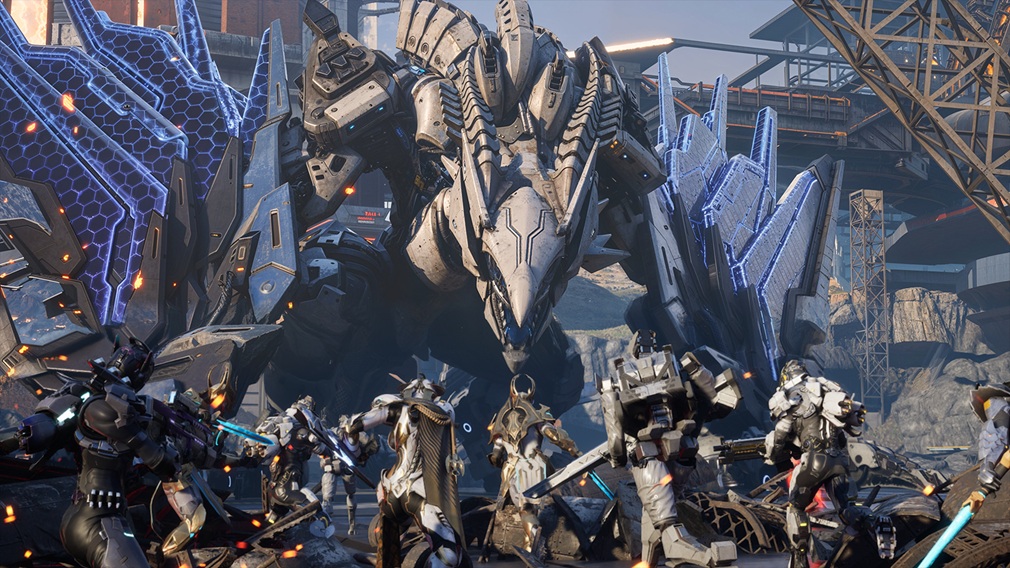
When you first start out in RF Online Next, it can be tempting to just grind monsters in the field, but that isn’t the best way to progress. A smarter way to level up is by progressing through the Main Quests, or Chapters, if you prefer. These are the most readily-available source of EXP in the game. Up through Chapter 4, upgrading your weapons and equipment alongside your quest progression will allow you to advance smoothly through those tiers.
You’ll hit a ceiling at some point, after which Regional Dungeons should be your main focus. They are available for up to one hour each day and are your best bet for earning EXP outside of the Main Quests. In fact, Regional Dungeons reward approximately three times more EXP than defeating monsters of the same level in the field.
Just remember that, since entry is limited to one hour per day, prepare plenty of recovery items and make sure your equipment is ready before entering. If you are playing solo, to reduce the risk of dying, enter Regional Dungeons where the monsters are below your current level. This might sound a little tame if you like to live dangerously, but remember, safer hunting means more consistent EXP gains, and faster overall progression.
2
Master your mechanics

RF Online Next features real-time combat where using your Biosuit skills and Mechanics, such as MAUs, at the right moment can supercharge your combat efficiency. Once you have obtained a MAU or Launcher, tap its icon or drag it to your desired location to deploy it. Both mechanics provide powerful fire support during combat.
They function quite differently, though. For a MAU, your attack type remains the same when mounted, but you can’t jump or fly. On the other hand, the Launcher is an Autonomous Mechanic. Once deployed, it automatically lays into nearby enemies.
Keep in mind that both MAUs and Launchers use their own independent stats. Increasing your character's Attack Power won’t increase the Launcher's damage.
Both MAUs and Launchers are classified as either Physical or Force types, so choose the one that best suits your combat situation. When no longer needed, both MAUs and Launchers can be recalled, but keep in mind that recalling a Mechanic triggers a 30 minute cooldown, and its durability must be repaired before it can be deployed again.
3
Be smart with targeting and auto battle

Combat can get chaotic in RF Online Next, so taking advantage of the game's targeting systems is a must. Press the AUTO button to automatically search for nearby enemies and engage them in combat. Auto Battle prioritises the closest target, making it ideal for AFK farming and efficient EXP harvesting.
That said, don’t rely blindly on Auto Battle. Use the Radar icon to manually scan nearby enemies and assess your surroundings. After scanning, select your desired target to attack that enemy or perform other actions as needed. You can also select the gear icon on the Scan Information window to customise various scan settings, like target priority. Tweak them to match your preferred combat style and improve battlefield awareness.
Be careful who you pick a fight with, though. Once engaged in combat, enemies will pursue and continue attacking you within a certain range. Even worse, certain enemies will attack as soon as you get close, even if you haven't struck first. Stay alert and pay attention to your surroundings during combat.
4
Stock up on recovery items
This might sound obvious, but staying alive is paramount to maintaining your leveling speed. To upgrade more efficiently, stock up on recovery and buff items from the Store before heading into battle. Maintaining buffs and using recovery items in need will significantly improve your combat readiness. Since defeated monsters reward you with Credits, you’ll be able to offset the cost of consumables while you progress.
If you're leveling through Auto Battle or AFK farming, remember to enable the automatic recovery item feature. This helps prevent unexpected deaths, allowing you to stay in combat longer and earn EXP at a rapid rate.
Dying is a huge setback, as you might expect, as meeting your maker often means losing EXP as well as some equipment, excluding Prime items. The higher the area's recommended level, the greater the potential EXP loss upon defeat. If your HP becomes dangerously low during a boss battle or raid, create some distance from your enemies, recover safely, and then rejoin the fight. Even if you’re defeated, you can revive either at your current location or at a base up to five times per day.
5
Understand the basics of equipment enhancement
Your power isn't just about your level; it's heavily reliant on your gear too. In RF Online Next, weapons, armor, and accessories are collectively referred to as Equipment, and Level Enhancement is the easiest way to improve it. Increasing an item's enhancement level boosts various stats such as Attack and Defense, making your character stronger. Equipment is divided into three categories: Weapons, Armor, and Accessories, and each type requires different Upgrade Kits.
You can grab these kits through quest rewards, defeating monsters, or by farming the Regional Dungeon Android Junkyard. Once you have your materials, go to the ‘Equipment Enhancement’ screen within the main menu. You can even enable the checkbox in the lower left corner of the Enhancement screen to activate Safe Enhancement.
The game will automatically consume the required materials and continue enhancing the selected equipment until it reaches plus five. Be warned though, the success rate of Level Enhancement decreases as your level increases. If Level Enhancement fails, the selected equipment may be destroyed and it cannot be restored; but all enhancement materials used during the botched attempt will be refunded.
6
Take your gear to the next level

Once your gear is nicely leveled up, it's time to look at advanced modification options. For the most efficient progression, I recommend enhancing your equipment in the following order: Level Enhancement, Prime Modification, and Random Options.
Equipment of Rare (Blue) grade or higher can undergo Prime Modification. Using an Arcane Node together with eligible Rare grade equipment allows you to perform Prime Modification. Successful modification upgrades the equipment into Prime Equipment, granting it an additional Prime attribute with improved performance.
After Prime Modification, you should look into Random Options. The Random Options feature allows you to re-roll the attributes assigned to your equipment by chance. Keep re-rolling until you obtain the ideal setup for your build. Random Options can be re-rolled as many times as you like by spending Diamonds.
Lastly, Talics add an extra layer of equipment enhancement and become available once your character reaches Level 25. Equipment with Talic slots can be fitted with them to gain additional attributes based on the Talics equipped.


