Reality Bay merge chains guide - Merge with the best of them
Merge chains in Reality Bay are important for getting new items, so we put this guide together to help you master this sometimes-confusing feature.

If you are trying to figure out how to get a specific item in Reality Bay, the most important thing is understanding the merge chains. Once you get the hang of it, merging quickly becomes one of the best ways to progress faster, complete orders, and keep your board from becoming overcrowded.
In this guide, I'll explain how merge chains work and how to manage your merges efficiently.
What are merge chains in Reality Bay?
Merge chains are sequences of items that become more advanced when you combine two identical objects.For example, merging 2 Level 1 items creates one Level 2 item. Combining 2 Level 2 items creates a Level 3 item, and so on until you reach the highest available level in that chain.
Each chain has its own progression, and some items can eventually turn into new producers.
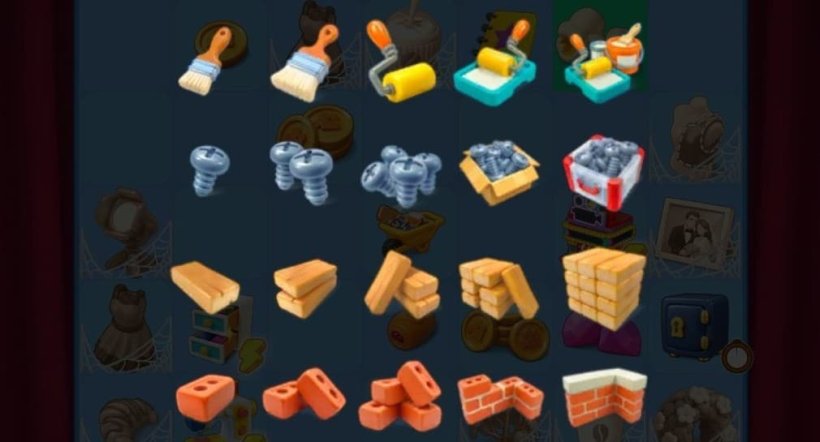
How to get items from producers
Producers are special objects that generate items when tapped. They usually have a small Energy icon in the corner, which indicates that you can tap them.Each producer supplies items that can be merged into more advanced versions. Most producer taps cost Energy, although some items require multiple taps before appearing.
You can obtain additional producers by upgrading the producer buildings or completing certain merge progressions (quests can give you quite advanced items).
How to unlock new merge chains
As you progress through Reality Bay, you'll discover new items and producers. In fact, there are so many that even I haven't managed to unlock them all (and I play Reality Bay quite a bit).Whenever you discover an item for the first time, it becomes available in your Collection.
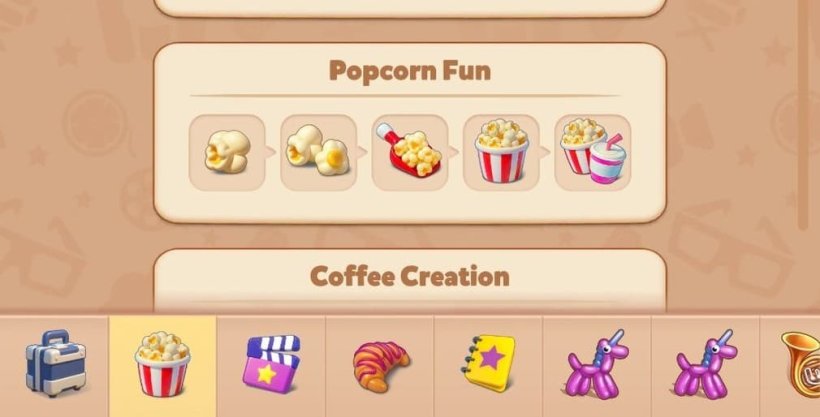
Tips for Completing Merge Chains Faster
- Focus on active orders - prioritise items required by your current production requests instead of spending Energy on items you don't currently need.
- Avoid unnecessary high-level merges - if an order requires a Level 4 item, you might want to keep it instead of immediately upgrading it.
- Organise your board by item family - if you keep related items together, it makes it easier to spot available merges.
- Save useful intermediate items - some items take considerable time and Energy to recreate, so you might want to keep them. Even if the items point to available merges (they have a certain "glow"), you might want to keep them if an order requests it.
- Always make unlocking new slots on your board a priority! - even if this leads to some upgrades you might not immediately need.
As you unlock more producers and item collections, keeping track of each chain will help you decide which items to merge, which ones to save, and where to spend your Energy.
It'll also make your extra inventory slots more crucial, so don't forget about the items you stored in there.