Illusion Connect: Re reroll guide - How to make the most of your RNG
Master the art of the gacha with our handy Illusion Connect: Re reroll guide!
So - you've just started playing Illusion Connect: Re. Or did you create another account because the original game was too good to give up? I feel you.
If you're someone who played the first Illusion Connect but found it hard to remember how to start over, this guide is dedicated to sharing a complete reroll guide for Illusion Connect: Re so you can have the best start possible.
Before we dive in, it's important to know that this takes some time. It could possibly take less time if you get lucky or you already have the characters you want (in which case, why even reroll?), but if you plan to min-max everything, this is something I recommend.
Why reroll and what is rerolling in Illusion Connect: Re?
The moment you start playing a gacha like Illusion Connect: Re, you want to start off on the right foot - that's pretty understandable. To do just that, you might need to consider rerolling, which is the process of resetting your account until you get some characters that are considered top-tier.Don't worry - that might sound like a painfully long and arduous process, but in reality, it's a lot faster if you follow the steps I shared below in this guide.
Oh, and don't forget to grab the latest Illusion Connect: Re codes too!
How to reroll in Illusion Connect: Re
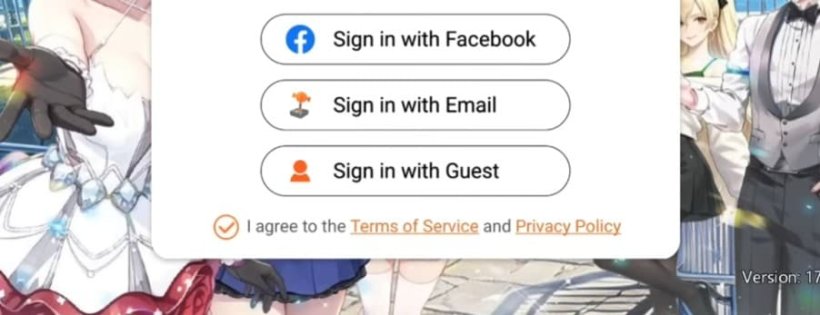
Step 1: Log in with a Guest Account
To reroll in Illusion Connect: Re, you first need to log in and play using a Guest Account. This is non-negotiable. You should not be on a bound account yet, because that is an account you cannot reroll anymore.Step 2: Select I'm a Tactical Player
This will skip some of the tutorials and whatnot, and will give you the shortest playtime possible before diving into the summons.Step 3: Pull in the gacha (as per tutorial instructions)
The system will then prompt you to pull in the gacha, which is going to give you the guaranteed character Nina. After pulling her, you'll have a few more steps in the tutorial, which will end with you doing the newbie 10x summon.This 10x pull will give you one guaranteed SSR character, so that's going to be your very first SSR. Continue with the tutorial until you get to the point where you can back out of it.
Step 4: Back out of the tutorial and claim your Mailbox rewards
After you manage to back out of the tutorial, you should claim all the rewards you have in your Mailbox. There will be several more Summon Tickets, which is great.
Step 5: Go do the summons you can
After claiming the rewards, head over to the Summon option and do the pulls you can. If you are happy with your pulls, continue playing and bind the account. If you are not, continue to the next step.Note: If you pull two or more SSRs, I would recommend keeping the account.
Step 6: Change account and start over
If you want to continue with the rerolls, go to your Profile, then select Game Settings, then pick Switch Account. Open the Account menu on the left side of the screen (the pull-out menu), then select Settings, and Delete Account.Change to a different server and create a new account, and then start over from Step 1. If you have multiple emails, you want to use them too.
What characters should you reroll for?
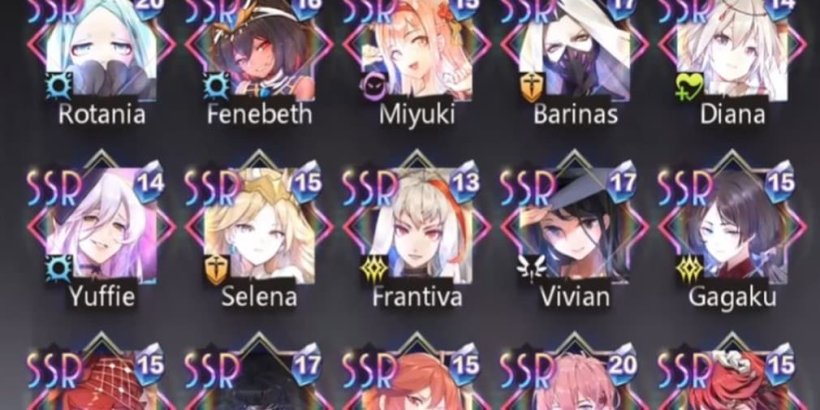
Some of the characters you can try to reroll for are:- Kiraya/Selena (solid tank)
- Miyuki (the best for reroll)
- Yuffie (very good damage)
- Rotania (amazing damage late game, but needs specific gear)
- Hersey (very good vs Sorcerers)